How RevOps Agencies Scale to £50k/Month On LinkedIn Without Getting Banned

Let me tell you something most people won't.
I used to think automation was the answer.
Like everyone else, I used Chrome extensions to send 50 connection requests a day. I thought I was being careful and smart.
Then my account got flagged. My impressions tanked. No visibility.
My profile views dropped by 80%.
LinkedIn didn't kick me out. They just made sure nobody saw me.
This is called shadow-banned on LinkedIn.
That's when I realised that LinkedIn is not killing outreach. LinkedIn is killing lazy outreach. And most of what we call "automation" is just lazy outreach with a software wrapper.
But here's the thing nobody tells you.
Manual outreach works. But it doesn't scale. And if you're running a RevOps agency, you don't have time to spend 4 hours a day on LinkedIn.
You need a system that replaces every hack, Chrome extension and your energy being spent on LinkedIn. A real system.
Very few people can build, deploy, optimise, and run LinkedIn revenue systems efficiently. And after reading this guide, you will be one of them.
I am going to show you why bad automation gets you banned. Why manual hits a ceiling. And what a real LinkedIn revenue engine looks like.
The kind that runs without you babysitting it. The kind that gets you to £50k/month. The kind I build for RevOps agencies that sell to SaaS founders.
Let's get into it.
Part 1: The Problem
Chapter 1: The Invisible War LinkedIn Is Winning
Most people have no idea what LinkedIn is doing behind the scenes.
They think if they use a SAFE Chrome extension, they're fine. They think if they keep their connection requests under 50 a day, they're fine. They think if they add random delays between actions, they're fine.
They're not.
LinkedIn scans for 6,222 browser extensions. Every time you load a page. That's not a typo. Six thousand two hundred and twenty-two.
And they don't just check if the extension is running. They check if the extension files exist in your browser at all. Even if you disabled it. Even if you haven't used it in months. If the files are there, LinkedIn knows.
Here's what happens next.
They use three ways to catch you.
First: Browser fingerprinting.
LinkedIn checks for specific files tied to extension IDs. If those files exist, your account gets flagged. Not tomorrow. Today. The presence alone is enough.
Second: DOM manipulation.
Extensions inject code into LinkedIn's pages. LinkedIn runs checks that detect modified pages, automated clicks, and form fills that happen faster than a human could do them. If you fill a form in 0.3 seconds, LinkedIn knows it's not a person.
Stop playing with those stupid agents, they will get you shadow-banned.
Third: Behavioral patterns.
Even with random delays, a bot acts differently than a human. The timing is wrong. The sequence is wrong. The session length is wrong. Humans scroll. Humans pause. Humans get distracted by a text message. Bots don't.
The result?
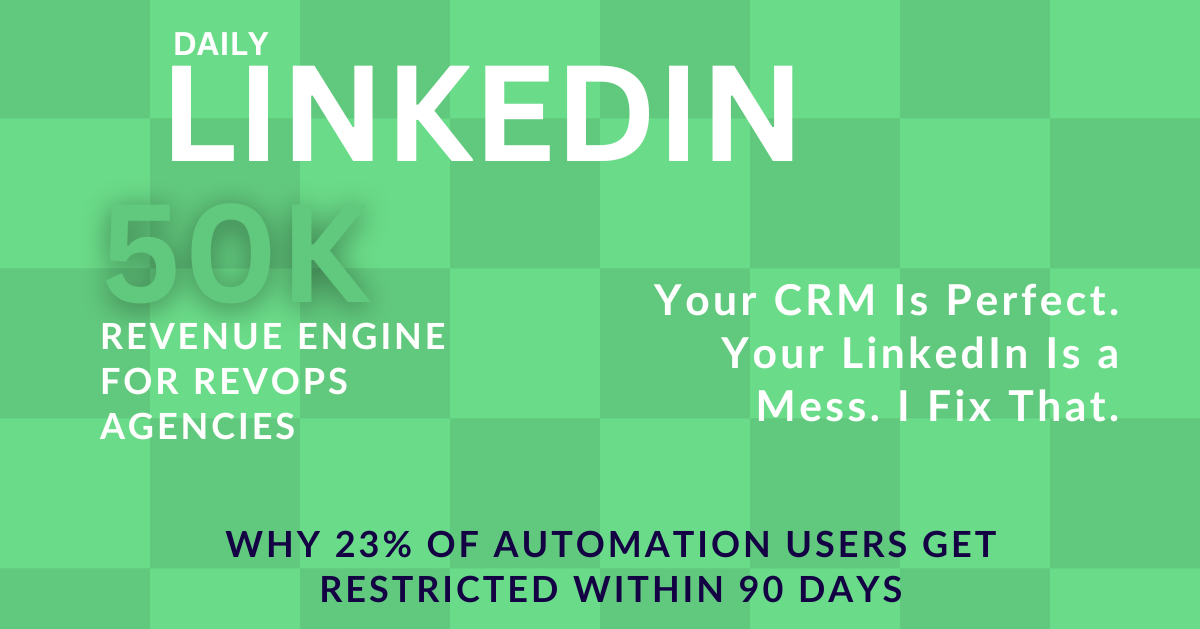
23% of people who use automation get restricted within 90 days. That's nearly one in four. And Chrome extension users get hit the hardest because browser-based automation is the easiest to detect.
LinkedIn also cut connection request limits. They went from 100 per day to 100 per week. That's an 88% drop. The math that made automation profitable in 2020 doesn't work in 2026.
And here's the part that hurts the most.
If you get flagged, uninstalling the extension doesn't help. The violation is logged in your account history. Future violations trigger faster and harsher. Your trust score drops permanently.
I learned this the hard way. Don't be me.
Chapter 2: What Happens When LinkedIn Restricts You
Most people think the worst thing is getting banned.
It's not.
The worst thing is becoming invisible.
LinkedIn doesn't just ban you. They have a system of restrictions.
First offense: 24 hours to 7 days of limited functionality. You can't send messages. You can't connect. You can barely use the platform. Sometimes you can't comment.
Second offense: Permanent feature limits. Your search results get cut. Your messages land lower in people's inboxes or not at all. Your profile shows up less. Messages are not delivered. Trust me, all of this happens.
Third offense: Full account suspension. You're out.
But the real killer is what happens between first and second offense. Your trust score drops. And you don't even know it.
Your connection acceptance rate falls from 60% to 15%. Your posts get shown to fewer people. You keep working. You keep posting. You keep sending outreach. But nobody sees you. Nobody responds. Nobody connects.
You're shouting into a void.
And the void used to echo back.
A friend of mine used an automation tool for 7 months with no issues. In month 8, his IP range got flagged. His connection rate dropped from 60% to 15% the very next week. LinkedIn didn't ban him. They just made him invisible.
That's worse than a ban. Because with a ban, you know it's over. With invisibility, you keep trying. You keep hoping. You keep wasting time.
LinkedIn also uses dynamic limits now. Your daily action cap is not a fixed number. It sits between 10 and 30 actions per day, depending on your trust score. New accounts start lower. Accounts with good history get more room. There is no single number. Your behavior determines your ceiling.
So if you've used extensions before, even "safe" ones, your trust score might already be lower than you think.
Part 2: The Paradox
Chapter 3: Why LinkedIn's Crackdown Is the Best Thing That Ever Happened
Here's what most people get wrong about LinkedIn's crackdown.
They think LinkedIn hates salespeople. They think LinkedIn wants to kill lead generation. They think LinkedIn is the enemy.
LinkedIn doesn't hate lead generation. LinkedIn hates fake lead generation.
They hate bots that spam 500 invites a day. They hate fake profile views from scripts. They hate comments that say "Great insights!" on every post without reading it. They hate engagement that isn't real.
When LinkedIn removes the fakes, they make room for the real.
And that is your opportunity.
While your competitors panic about their banned extensions, you build a real system. While they scramble for new tools, you show up as a human. While they lose accounts and reputation, you gain trust and pipeline.
The playing field is level now. Real effort wins, human comments get more visibility than posts in Q2 and Q3. And real humans buy from real humans.
Let me give you some numbers.
LinkedIn drives 80% of all B2B social media leads. 89% of B2B marketers use LinkedIn for lead generation. The platform's visitor-to-lead conversion rate is 2.74%. That crushes Facebook at 0.77% and Twitter at 0.69%.
If I could get a dollar for sharing these stats, I wouldn't need to depend on client commissions for my living.
Again, LinkedIn isn't trying to kill this. They're trying to protect it from bot farms and spam networks that make the platform worse for everyone.
When LinkedIn scans for 6,222 extensions, it's not attacking you. It is filtering out the noise so your real voice can be heard.
The crackdown is not a wall. It is a filter. It filters out the lazy. It lets the real ones through.
Be real.
Chapter 4: The Manual System That Works (But Only to a Point)
I need to show you something.
After my account got flagged, I went completely manual. No extensions. No bots. No automation. Just me and LinkedIn.
In 15 days, I generated:
8 bookings
109 profile views
24.8% conversion rate
Here's exactly what I did.
Step 1: The Follow-First Filter
Instead of sending connection requests, I followed 600 people per week. I turned on notifications for every single one. I only connected after they posted twice and I commented on both posts.
This is qualification before connection. I read their thoughts. I knew what kept them up. I knew what they were building. I knew if they needed me.
My connection acceptance rate: 73%.
Why?
Because I wasn't a stranger. I was the person who commented on their post about hiring sales reps. I was the person who added value publicly before asking for anything privately.
Step 2: The Notification Stack
Every morning, I spent 30 minutes in the Notifications tab only. I commented on every post from target accounts before the algorithm buried them.
Speed beats automation. Thoughtfulness beats templates. A real comment at 7:15 AM beats a scheduled bot message at 7:15 AM because the algorithm sees human engagement and rewards it.
Step 3: The Profile Bait
I rewrote my headline from "Founder at X" to "£50k/mo Revenue Engines for RevOps Agencies That Sell to SaaS Founders."
That's not a job title. It's a filter. It attracts the right people and repels the wrong people. Organic targeting. No ads needed.
Step 4: The 4-Step Morning
Step 1: Engage. Comments, DMs, notifications. 30 minutes.
Step 2: Create. One post. One insight. Zero perfectionism. 30 minutes.
Step 3: Connect. Follow-first strategy. Warm outreach only. 30 minutes.
Step 4: Convert. Calls, proposals, revenue work. 60 minutes.
Afternoon? I can work on client work.
One of my clients switched from a Chrome extension to this manual system. Their connection acceptance rate went from 18% to 67% in 30 days. Their DM response rate went from 4% to 23%.
Their pipeline quality improved because they only connected with people who had already engaged with their content.
But here's what nobody tells you.
Chapter 5: Why Manual Outreach Hits a Ceiling
Manual outreach works. I just proved it.
But it has a ceiling. And if you're running a RevOps agency, you're going to hit that ceiling fast.
Here's why.
The 4-step morning gives you 20 to 30 leads per day. Max.
That's it.
You can't do more without working longer. And you already have a business to run.
You have CRM implementations. Sales automation projects. Pipeline analytics. GTM strategy.
Your clients pay you to fix their systems. They don't pay you to spend 4-step mornings on LinkedIn.
One sick day and your pipeline dies.
In December 2024, I got seriously ill. I couldn't work for weeks. My pipeline paused. Cash flow died. When I recovered, I had zero cash flow, mounting debt, and no one to help.
That's when it became clear. Sales built on energy don't scale. If your income depends on how hard you push today, it breaks the moment life does.
One busy week and LinkedIn goes quiet. This happened to me again and again.
You have a big client project. You need to deliver. You skip LinkedIn for a week. Then two weeks. Then a month. By the time you come back, your momentum is gone. The algorithm forgot about you. Your audience moved on. You have to start over.
No CRM integration means 80% of leads fall through the cracks.
You meet someone on LinkedIn. You have a great conversation. You promise to follow up. Then you get busy. You forget. Three weeks later, you remember. You message them. They already hired someone else.
This happens because you don't have a system. You have good intentions. Good intentions don't close deals. Systems do.
No follow-up system means you lose most deals.
Most people need to see your content 5 to 7 times before they buy. If you only message once and disappear, you're leaving money on the table. A proper follow-up sequence would turn 20% of those LOST leads into paying clients.
No ads means organic reach caps at about 5% of your followers.
You have 2,000 followers. LinkedIn shows your posts to about 100 of them. If you're lucky, 200-300. That's it. The rest never see you. Without paid amplification, you're invisible to 95% of your potential market.
Manual outreach is the foundation. But it's not the building.
RevOps agencies need systems. Not routines or hacks.
Systems that run when you're not looking. Systems that don't break when you get sick. Systems that scale without you spending 4 hours a day on LinkedIn.
That's what I built. And that's what I'm going to show you.
Part 3: The Solution
Chapter 6: What a Real LinkedIn Revenue Engine Looks Like
I rebuilt how I get clients. Not with more hustle. With a system.
I call it the LinkedIn Revenue Engine. It's not manual outreach. It's not bad automation. It's a system that combines the best of both.
Only 2 Spots Left.
I build £50k/month LinkedIn revenue engines for RevOps agencies.
You don't post. You don't outreach. You don't manage ads.
You show up for audit calls. I handle everything else.
After these 2 spots at the founding price, then it increases 3x.
The authenticity of manual outreach. The scalability of a machine.
Here are the 6 components.
Component 1: Profile Positioned to Pre-Sell
Your profile is not a resume. It's a sales page. It should attract the right people and repel the wrong people before you ever send a message.
Component 2: Content Engine
You post daily. Maybe twice. Traditional advice goes against this.
I say that you publish a post in the morning and a newsletter in the evening... and direct that newsletter traffic to your website.
And do not random thoughts. Post strategic content that builds authority with your exact audience. Carousels that get saved. Text posts that start conversations. Videos that show your expertise.
Component 3: Intent-Based Lead Targeting
You find 150 qualified leads per week. Not cold contacts. People who already showed they care about what you sell. They commented on a post about CRM problems. They shared an article about sales automation. They're already warm.
Component 4: Warm-Up Engagement + DM Sequences
You build trust before you pitch. You comment on their posts. You add value. Then you send a connection request. Then a message. Then a follow-up. Each step builds on the last. No spamming through cold pitches. Just real conversations that turn into calls.
Component 5: Thought Leadership Ads
You pay to show your best posts to more of the right people. Not random ads but your actual content, amplified. Targeted to SaaS founders who need RevOps help. This is the accelerator that organic reach alone can never provide.
Component 6: CRM-Integrated Sales Infrastructure
Every lead goes into a CRM. HubSpot or Salesforce. Every interaction is tracked. Every follow-up is automated. Nothing falls through the cracks. You know exactly who to call, when to call them, and what to say.
Each component compounds. Together, they create a machine that runs without daily babysitting.
In 30 days, this system generated 295 inbound leads and £34,000 in pipeline. Without me constantly present.
That was my proof. Now I build this same system for RevOps agencies that sell to SaaS founders.
Let me break down each component.
Chapter 7: The 6 Components of a £50k/Month Engine
Component 1: Profile as Pre-Selling Asset
Most LinkedIn profiles look good. They don't convert.
A converting profile has three things.
A headline that filters. Not "Founder at X Company." Something like "I help RevOps agencies book 1 to 3 SaaS founder clients per month on LinkedIn." This attracts agency founders and repels everyone else.
A banner that sells the outcome. Not your logo. A visual that shows the result you deliver. £50k per month. 150 leads per week. 1 to 3 clients per month.
An About section that tells a story. Not a resume but your origin story. The problem you solve and the proof you have. The offer you make that ends with a clear call to action.
Component 2: Content Engine
You post 3 to 5 times per week. Mix three formats.
PDF carousels get the highest engagement. 6.6% on average. That's 278% more than video and 596% more than text-only posts. Use carousels for frameworks, step-by-step guides, and before/after transformations.
Text posts are best for stories, hot takes, and personal insights. Keep them under 150 words. The first 150 characters matter most. That's what people see before they click SEE MORE. Make them count.
Native video (30 to 90 seconds) is growing 36% year over year. Use it for quick demos, behind-the-scenes, and direct-to-camera messages.
Reply to comments within 15 minutes. LinkedIn's algorithm gives you a 90% boost when you reply fast. This is not optional. It's the difference between 1,000 views and 10,000 views.
Component 3: Intent-Based Lead Targeting
Most people find leads by searching job titles. "CEO." "Founder." "CTO." Then they send the same message to everyone.
That's cold outreach. It doesn't work anymore.
Intent-based targeting means finding people who already showed they care.
They commented on a post about CRM problems. They shared an article about sales automation. They liked a carousel about pipeline analytics. They're already thinking about the problem you solve.
Here's how you find 150 of these people per week without Sales Navigator.
Method 1: Content engagement signals. Find 10 LinkedIn influencers in RevOps and SaaS sales. Check who comments on their posts daily. Those commenters are your leads. 15 minutes per day = 20 to 30 leads found.
Method 2: LinkedIn basic search. Search for "Founder" or "CEO" in the software industry. Filter by company size. Check who posted recently. 10 minutes per day = 10 to 15 leads found.
Method 3: Directories like Trustpilot/YC/Angellist. Filter by job title, industry, and company size. Export 100 leads per week. Enrich with LinkedIn URLs.
50 leads from engagement. 50 from search. 50 from SaaS directories. That's 150 per week.
Component 4: Warm-Up + DM Sequences
Week 1 and 2: Warm-up. No pitch. Follow them. Like their last 2 posts. Comment something valuable on their most recent post. Wait 3 to 5 days.
Week 3: Connection request. Personalized note. "Hi Name, saw your post on topic. Quick question... are you currently using HubSpot or Salesforce for your sales setup? Would love to connect."
Week 4: DM sequence.
Day 1 after they accept: "Thanks for connecting, Name. I help RevOps agencies build £50k per month LinkedIn revenue engines. Curious... what's your biggest challenge with client acquisition right now?"
Day 3 if no reply: "Name, I noticed you posted about topic recently. Most RevOps agencies I work with struggle with the same thing: great at delivery, invisible on LinkedIn. Is that your experience too?"
Day 7 if no reply: "No worries if this isn't a priority right now, Name. I'll keep sharing RevOps content that might be useful. Feel free to reach out if your pipeline ever dries up."
Day 14 if no reply: "Last message — I put together a quick audit of how RevOps agencies can find SaaS founders on LinkedIn. Want me to send it over?"
Target: 20 to 30% reply rate. 5 to 10% booking rate.
Component 5: Thought Leadership Ads
You create a post. It performs well organically. Then you pay to show it to more of the right people.
Not a corporate ad. Your actual post with actual insights and proof.
Set up: LinkedIn Campaign Manager.
Objective: Website Visits or Engagement.
Format: Single Image Ad.
Audience: Job titles = Founder, CEO, or CTO.
Industries = Computer Software.
Company size = 11 to 200 employees.
Budget: Varies from industry to industry and audience type... so always start with £10... test the waters and then increase it gradually.
Rotate creative every week.
Week 1: carousel about CRM audits.
Week 2: carousel about before/after pipeline fixes.
Week 3: text post about HubSpot mistakes.
Week 4: video about CRM costing deals.
Target cost per click: £3 to £5. Target click-through rate: 0.5 to 1%. Target leads per month: 50 to 100 from ads alone.
Component 6: CRM-Integrated Sales Infrastructure
Every lead goes into HubSpot or Salesforce. Free tier works fine to start.
Pipeline stages: Lead → Qualified → Audit Call → Proposal → Closed-Won → Commission Due.
Custom fields:
Source = LinkedIn.
Deal Value = £ amount.
Commission Percent = 10%.
Commission Due = auto-calculated.
Monthly Retainer = £1,500.
Client Cap = 10 max.
Automation:
When a lead enters CRM, auto-enrich their company and title.
When they engage with your content, auto-task you to reply within 15 minutes. When they accept your connection, auto-task to send Day 1 DM.
When they reply, auto-task to reply back.
When a deal closes, auto-calculate commission.
Manage leads through task management. This is a golden tip, and you won't find any LinkedIn guru telling you this.
Follow-up sequences:
For leads who don't book, send relevant content on Day 7, Day 14, and Day 30.
For clients, send weekly performance reports and monthly strategy calls.
This is not fancy or expensive. This is basic blocking and tackling that most RevOps agencies skip because they're too busy fixing other people's CRMs to fix their own.
Only 2 Spots Left.
I build £50k/month LinkedIn revenue engines for RevOps agencies.
You don't post. You don't outreach. You don't manage ads.
You show up for audit calls. I handle everything else.
After these 2 spots at the founding price, then it increases 3x.
Chapter 8: How to Know If You're Ready (The £50k Checklist)
This system is not for everyone. It requires specific ingredients.
Run this checklist honestly.
Do you have a £5,000 or higher RevOps offer?
£50,000 per month equals 10 clients at £5,000 each. Or fewer clients at a higher price. If your offer is £500, the math breaks. You would need 100 clients per month. That's not happening on LinkedIn.
Your offer should be something like CRM implementation, sales automation, pipeline analytics, GTM strategy, or revenue architecture. High-value work that SaaS founders pay premium prices for.
Do you have £1,500 or more per month for LinkedIn ads?
Organic content alone won't scale to £50,000 per month. Paid eyeballs is the accelerator. Without it, you're invisible to 95% of your market.
£1,500 per month is the minimum. £3,000 is better.
Can you commit for 6 months?
This is a compounding system. Most SaaS founders see your content for 2 to 3 months before they reach out. They need to trust you before they buy. If you quit at month 2, you miss the clients who were about to buy at month 4.
Do you have a defined SaaS founder ICP, or are you willing to let me build it?
B2B Founders is too broad. We need to target surgically. Series A SaaS founders in London. Seed-stage companies in New York. B2B marketplaces in fintech. The tighter the ICP, the better the system works.
Are you willing to show up for RevOps audit calls?
I book the meetings. You close them. If you won't show up for calls, the system fails. This is non-negotiable.
Are you ready for multi-channel?
LinkedIn is the hub. But YouTube, SEO, and podcast amplify authority. You don't need all three. But one or two help.
If you check all 7 boxes, this engine will work for you.
If you're missing 2 or more, you're not ready for £50,000 per month. Start with a lower-tier system.
Only 2 Spots Left.
I build £50k/month LinkedIn revenue engines for RevOps agencies.
You don't post. You don't outreach. You don't manage ads.
You show up for audit calls. I handle everything else.
After these 2 spots at the founding price, then it increases 3x.
Part 4: Implementation
Chapter 9: How to Build Your Own Revenue Engine (DIY Path)
You can build this yourself. I'm going to show you exactly how.
Tools you need:
HubSpot CRM. Free tier. For pipeline tracking, deal management, and commission calculation. You can also use brevo... it has email marketing and a CRM. Works well for inbound only.
LinkedIn Sales Navigator. About £80 per month. For finding leads and tracking engagement. This is optional tho.
Directories. About £50 per month. Most are free. For lead enrichment and email finding.
Make.com. Free tier. Or n8n on a self-hosted Hetzner server that costs £5. For automation like lead enters CRM → auto-enrich → auto-task.
Calendly. Free tier. For booking audit calls.
LinkedIn Campaign Manager. Free to set up. Ad spend is separate.
Notion or Google Sheets. Free. For the content calendar and commission tracker.
Total monthly cost: about £130 before ad spend. With ads: £1,630 per month.
Time you need:
20 to 30 hours per week for the first 3 months. That's learning, building, and optimizing. After month 3, 10 to 15 hours per week for maintenance.
Skills you need:
Copywriting. LinkedIn algorithm knowledge. Ad management. CRM automation. Basic design for carousels. Video editing for 30-second clips.
The honest truth:
You CAN build this yourself. If you have the time, the expertise, and 6 months of runway.
Most RevOps agencies don't.
They're already working 50 to 60 hours per week on client delivery. They don't have 20 to 30 hours per week to learn LinkedIn. They don't have 6 months to wait for results. They need clients now.
That's why I built the DFY path.
Only 2 Spots Left.
I build £50k/month LinkedIn revenue engines for RevOps agencies.
You don't post. You don't outreach. You don't manage ads.
You show up for audit calls. I handle everything else.
After these 2 spots at the founding price, then it increases 3x.
Chapter 10: How I Build It for RevOps Agencies (DFY Path)
Here's what I do.
I build your profile. Positioned to attract SaaS founders, not just look good.
I run your content engine. 3 to 5 posts per week. Carousels, text, video. All written and designed for you.
I find your leads. 150 SaaS founders per week. Intent-based. Already warm.
I run your outreach. Warm-up engagement. DM sequences. Follow-ups. All handled.
I run your ads. Thought leadership ads targeted to your exact ICP.
I build your CRM infrastructure. HubSpot or Salesforce. Pipeline tracking. Deal automation. Commission calculation.
I send you weekly reports. What's working. What's not. What to adjust.
I do monthly strategy calls. Deep-dive optimization. The system gets sharper every month.
What you do:
Show up for audit calls. Close deals. Deliver great work to your clients.
That's it.
Read the pricing here: talhax.me/linkedin-revenue
I win when you win. If you don't close deals, I don't make commission. That keeps us aligned.
Cap:
10 RevOps agencies maximum. Currently 2 spots left.
Guarantee:
1 to 3 high-ticket SaaS founder clients per month. Or I keep working until you do.
If you're looking for a magic pill or overnight success, this isn't it. I build real systems that compound over time.
Part 5: Future and Safety
Chapter 11: The Trust Score System
LinkedIn doesn't use fixed limits anymore. They use dynamic daily limits based on your trust score.
Here's what builds it.
Profile completeness. Fill every section. Add a banner. Write a detailed About. List quantified results in your Experience. LinkedIn shows a completion percentage. An incomplete profile looks less trustworthy.
Engagement quality. Not volume. Quality. Thoughtful comments. Meaningful conversations. Real replies. LinkedIn's algorithm rewards authentic engagement over manufactured reach.
Session consistency. Log in daily. Engage at regular times. Don't binge 100 actions in one hour and disappear for three days.
Device fingerprints. Use the same device and IP for manual and any approved automated activity. Switching devices constantly looks suspicious.
Content originality. Post original thoughts. Don't copy-paste. Don't use AI-generated content without adding your own angle. LinkedIn can detect content similarity.
Warm up new accounts for 6 to 8 weeks before any outreach. Start with 10 to 15 connection requests daily. Vary your numbers. 20 on Monday. 30 on Tuesday. 25 on Wednesday. Operate within your target audience's time zone. These small signals build trust over time.
Chapter 12: The API-First Future
By 2027, browser extensions for LinkedIn will be obsolete.
Not because of bans. Because API-first AI agents will replace them entirely.
The new generation of tools doesn't say "send this connection request for me." They say "here is who you should connect with and why." They say "here is a message worth sending."
Human approval on every action. No DOM manipulation. No extension fingerprint. No detectable local footprint.
Tools like LinkedFusion, Dripify, and Octopus CRM are already moving in this direction. They operate through cloud-based infrastructure rather than browser injection. They rotate IP addresses. They mimic human behavior patterns. They include human approval checkpoints.
But even with API-first tools, the human touch wins. AI can suggest. Only humans can connect.
The early movers to API-based systems in 2026 will own 2027. But the real winners will be the ones who combine API efficiency with human authenticity. Using tools to identify and research. Never to replace the personal touch.
Chapter 13: The Complete Safety Checklist
Print this. Follow it.
Remove all Chrome extensions that touch LinkedIn. Even SAFE ones.
Complete your profile to 100%. Banner, headline, About, Experience, Featured.
Warm up new accounts for 6 to 8 weeks before outreach.
Start with 10 to 15 connection requests daily. Not 50.
Vary daily activity numbers. 20 Monday. 30 Tuesday. 25 Wednesday.
Operate within your target audience's time zone.
Change message templates monthly to avoid pattern detection.
Track acceptance rate weekly. Aim for 25% minimum.
Track reply rate weekly. Aim for 15% minimum.
Stop all campaigns below 2% acceptance immediately.
Use cloud-based tools with human approval. Not browser extensions.
Maintain one IP address for manual and automated activity.
Never send connection requests from mobile and desktop on the same day.
Limit total daily actions to 30 to 40.
Take 48-hour breaks after heavy activity days.
Chapter 14: FAQ
Are all Chrome extensions banned?
Not officially banned. But LinkedIn scans for 6,222 extension signatures. Even SAFE extensions like grammar checkers or email finders can trigger flags if they modify the page. The safest approach is zero extensions.
What about LinkedIn's own automation features?
LinkedIn Sales Navigator and LinkedIn Premium are native. They're safe. But even Sales Navigator users should respect dynamic limits.
Can I use multiple accounts safely?
Yes. But each account needs its own device fingerprint, IP address, and warm-up period. Tools like SBL.so connect 50 accounts to one workspace with automatic rotation. When one hits the daily limit, the next takes over.
How do I know if my trust score is low?
Signs include: connection requests stuck at "pending" for weeks, messages landing in "Other" instead of "Focused" inbox, reduced profile view counts, and search limitations. If you see these, pause outreach for 2 weeks and focus on organic engagement.
Is manual outreach scalable?
With the right system, yes. The 4-hour morning routine generates 8 bookings in 15 days. For higher volume, use the follow-first filter to pre-qualify, then connect only with warm accounts. Quality per connection matters more than quantity.
What if I don't have time for the 4-hour morning?
Then you need a system. Manual outreach works but requires daily effort. A revenue engine combines the authenticity of manual with the scalability of infrastructure. That's what I build for RevOps agencies.
How does the commission model work?
£1,500 per month base fee. Plus 10% of any revenue you close from LinkedIn leads. If you close a £10,000 deal, I get £1,000. If you close nothing, I get nothing beyond the base. This aligns our incentives.
What RevOps services does this work for?
CRM implementation. Sales automation. Pipeline analytics. GTM strategy. Revenue architecture. Lifecycle design. Any high-ticket RevOps service sold to SaaS founders.
The Real Choice
LinkedIn is not killing outreach. LinkedIn is killing lazy outreach.
The question is not "manual or automation?"
The question is: "Do you have a system that scales safely?"
Most RevOps agencies don't. They have a profile that looks good but doesn't convert. Content that gets likes but not calls. Outreach that gets ignored or banned. No CRM. No follow-up. No pipeline.
The £50k Revenue Engine fixes this.
Not with manual hustle. Not with bad automation. With a system that compounds.
If you want to build it yourself, everything you need is in this guide. The tools. The timeline. The checklist.
If you want me to build it for you, I have 2 spots left at £1,500 per month base plus 10%.
Book your RevOps Revenue Engine Audit. 10 minutes. No pitch. I'll tell you honestly if this works for your agency.
talhax.me/linkedin-revenue